
Multiple email accounts in one Android app
info@, sales@, support@ and your personal Gmail, without signing in and out.
Most people with business email juggle several addresses: a shared info@ inbox, their own address, a support mailbox and a personal Gmail. In a phone browser that means signing out and back in for each one. ECOMHUTSY Webmail keeps them all signed in, in one app.
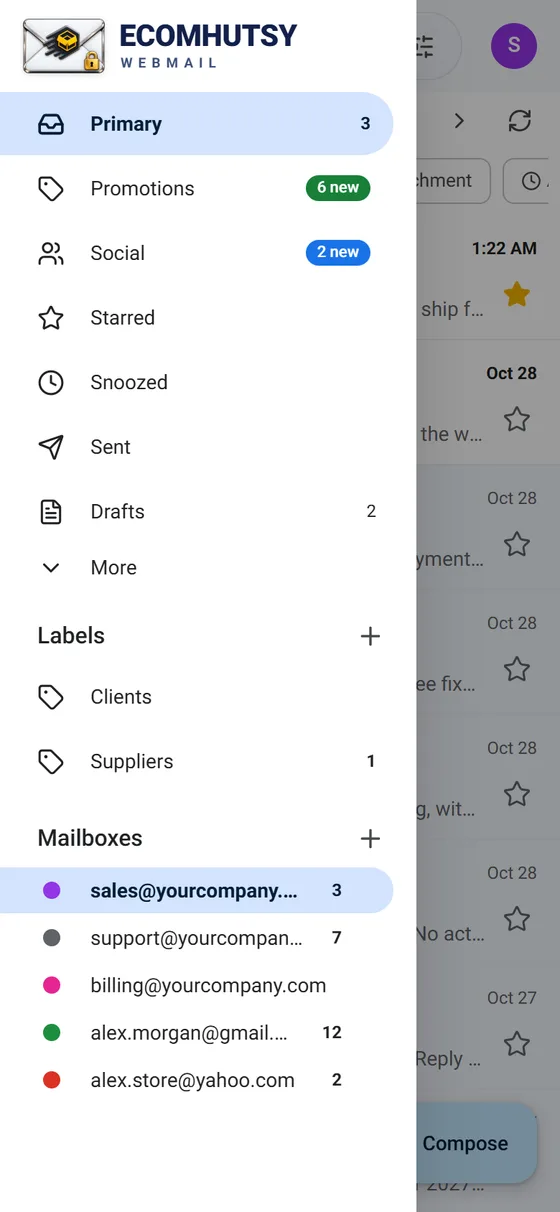
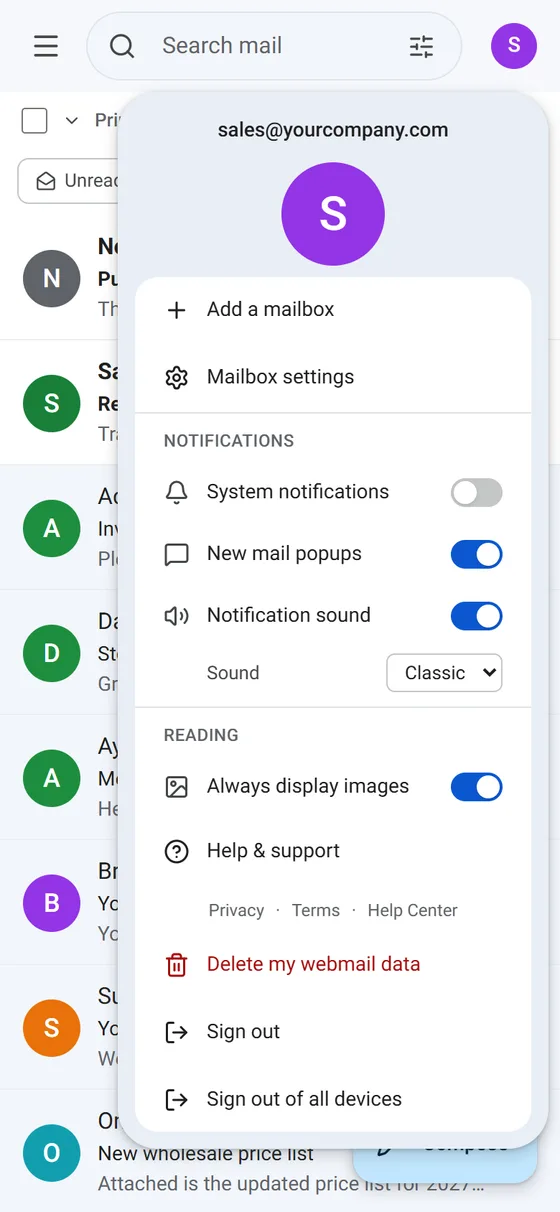
Add another mailbox
- Open the menuTap the three lines at the top left.
- Tap + next to MailboxesOr tap your avatar at the top right, then Add a mailbox.
- Sign inEnter the email address and its password. For Gmail and Yahoo, use an App Password.
- Switch any timeTap a mailbox in the menu. The inbox, folders and settings switch with it.
Mix any providers
Each mailbox can come from a different place: cPanel hosting, Hostinger, GoDaddy, Titan, Zoho, Gmail or Yahoo Mail. The app finds the server settings of most providers by itself.
Good to know
- You can connect up to 12 mailboxes.
- New email from every connected mailbox triggers a notification.
- Each mailbox has its own colour and signature (avatar, Mailbox settings).
- Removing a mailbox from the app never deletes email on the server.
Questions and answers
Can I add Gmail and my company email in the same app?
Yes. Add the company mailbox with its normal password and Gmail with an App Password. Both appear in the menu.
Is there a limit on email accounts?
You can connect up to 12 mailboxes in ECOMHUTSY Webmail.
E-commerce solutions from the makers of this app
Products



Services






Your business email, in a clean app
Free · no ads in your inbox · mail goes straight from your phone to your mail server