
The webmail app your business email deserves
ECOMHUTSY Webmail puts the mailbox on your own domain in a clean, Gmail-style app on your phone. Works with cPanel and other hosting email, Hostinger, GoDaddy, Zoho, Gmail and Yahoo Mail.
- Free, no ads in your inbox
- Android 7.0 or newer
- Mail goes straight from your phone
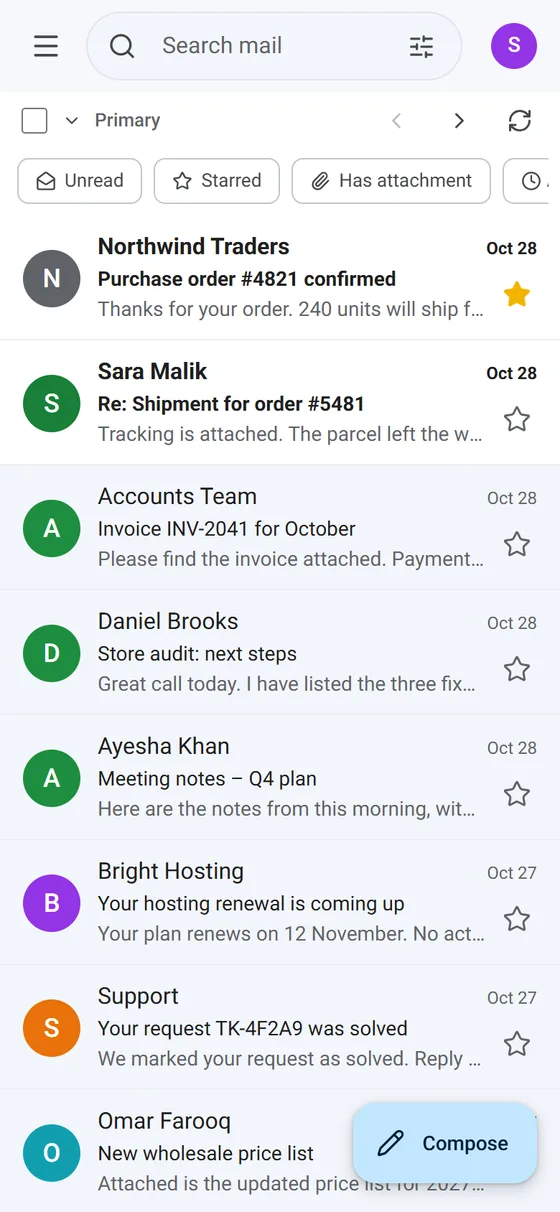
Everything you expect from a modern email app
Every mailbox in one place
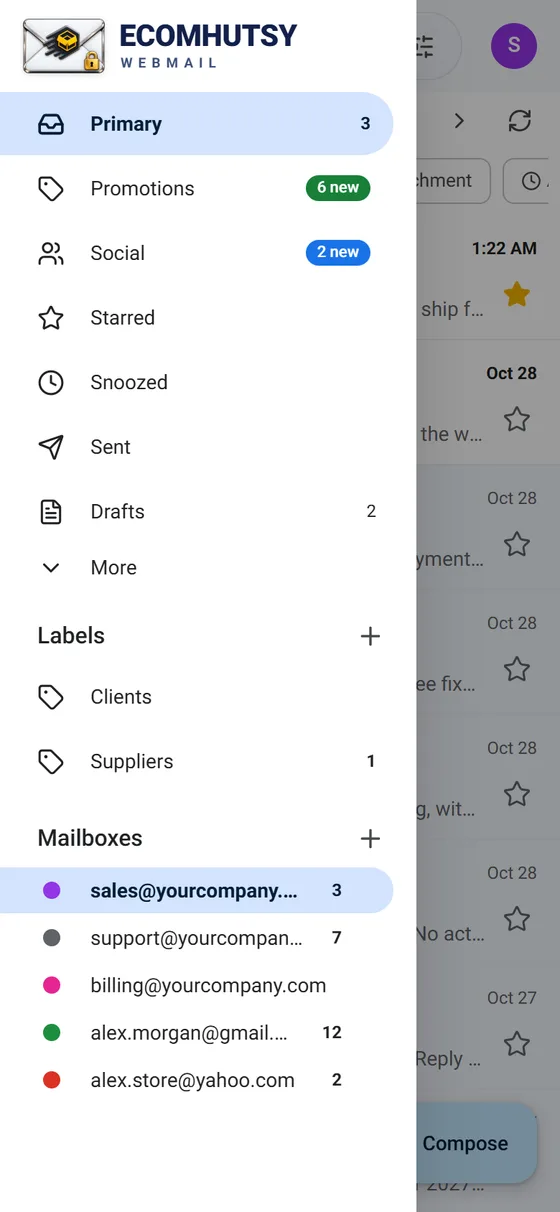
Add your company, hosting, Gmail and Yahoo mailboxes and switch between them with one tap.
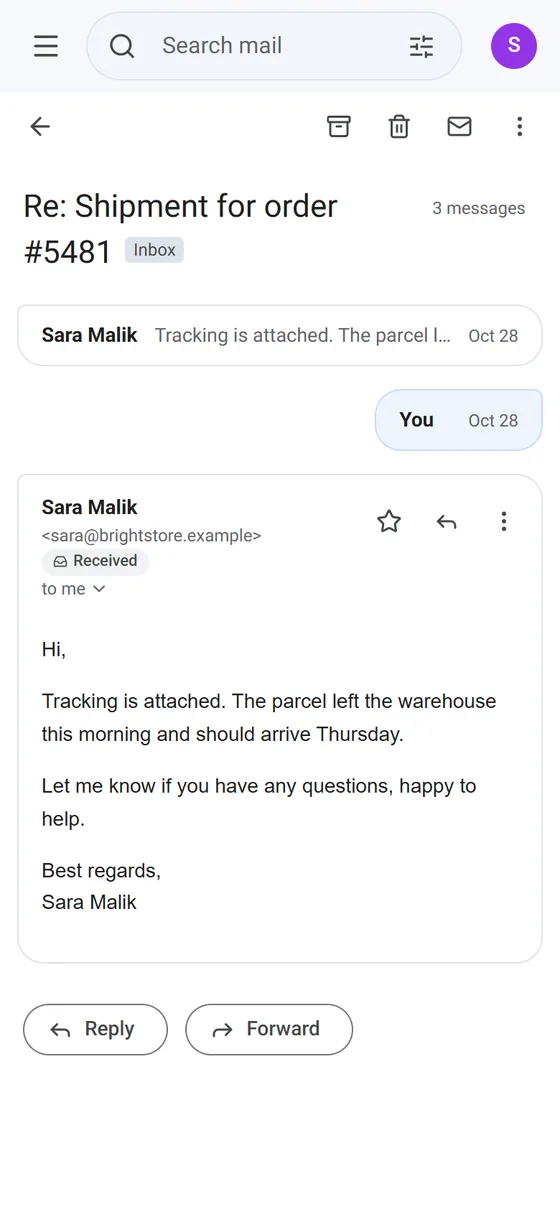
Conversations
Replies are grouped with the original email. Theirs on the left, yours on the right, quoted history folded away.
Primary, Promotions, Social
Newsletters and social updates are kept out of the way of the email that needs you.
Instant notifications
The app keeps a live connection to your mail server, so new email shows up within seconds.
Schedule send and snooze
Write now, send later. Hide an email until the time you pick and it comes back as unread.
Search that finds it
Search by sender, subject, words, date, size or attachment, or use quick filters.
Multiple email accounts in one app
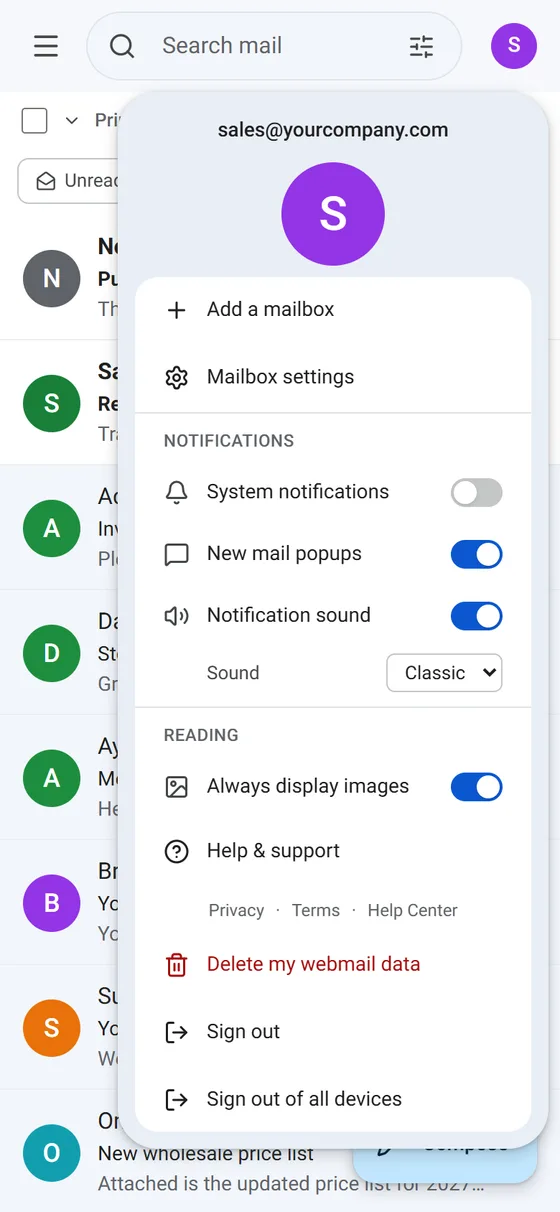
Add info@, sales@, support@, your personal Gmail and Yahoo Mail, and switch between them from the menu. Each mailbox has its own colour, unread count and signature, and the settings menu always shows the mailbox you have open. How to add more mailboxes →
Private by design
The Android app talks to your mail server directly from your phone. Your mailbox passwords are saved only on your phone, protected by the Android Keystore, and your email never passes through anyone else's server.
There are no ads inside your inbox, no tracking and no data selling. Read the privacy policy.
Works with the email you already have
If your email address works in another email app, it works in ECOMHUTSY Webmail. Sign in with your email address and password: the app finds the server settings of most providers by itself.
Install in under a minute
- Download the APKTap Download APK. The file is about 34 MB.
- Allow the installOpen the file. If Android asks, allow your browser to install apps.
- Sign inEnter your email address and password. Done.
ECOMHUTSY Webmail is one of several ECOMHUTSY products
ECOMHUTSY has helped online sellers since 2016: $150M+ in e-commerce sales processed, 100+ active clients in 50+ countries. Software to run your operation, and a team to run your stores.
Products
 Team Monitoring From $3 per user / monthTime tracking, activity, screenshots and reports for remote and office teams.
 HutsyBoard Coming soonMarketplace-to-warehouse operations: orders, purchasing, receiving, inventory and shipping.
 ECOMHUTSY Webmail FreeFree Gmail-style webmail for business email on your own domain, on the web, Windows and Android.
Services
 Amazon & Walmart automationOperator-led marketplace stores run for you, daily.
 Shopify automationYour Shopify store managed end to end.
 Seller accountsSet up, buy or sell marketplace seller accounts.
 LLC formationUS LLC filing with EIN letter and optional add-ons.
 Tax, ITIN & EINITIN, EIN, sales tax licences and exemption certificates.
 Web developmentWebsites and stores on Laravel, WordPress and Shopify.
Questions and answers
Is the Webmail APK free?
Yes. ECOMHUTSY Webmail is free on Android, Windows and the web, with no ads inside your inbox.
Is this APK safe?
It is the official build from ECOMHUTSY, signed with ECOMHUTSY's key. Every release lists its SHA-256 checksum on the download page so you can verify the file.
Which email accounts work?
Any mailbox with IMAP and SMTP: cPanel hosting email, Hostinger, GoDaddy Professional Email, Titan, Namecheap, Zoho Mail (paid plans), Gmail and Yahoo Mail with an App Password. Outlook.com and Hotmail are not supported yet.
Why is it not on Google Play?
The app is distributed directly from ECOMHUTSY for now. Updates install over the old version and keep your mailboxes.
Does ECOMHUTSY read my email?
No. The Android app connects your phone straight to your mail server. Your passwords stay on your phone.
Can I use it on my PC?
Yes: use the Windows app or open mail.ecomhutsy.com in any browser.